TikTok Emoji Codes Not Working? 9 Causes and How to Fix Each One
You type `
[cry]` into a TikTok comment and it stays as plain text. Or you try `
[laughwithtears]` and nothing happens. This is one of the most common problems for new TikTok emoji users, and the causes are usually simpler than people think.
Here are all the reasons TikTok emoji codes fail and how to fix each one.
1. Wrong Code (Most Common)
The single most common reason emoji codes don't work is that the code itself is wrong. TikTok's codes are specific text strings, and even small typos will break them.
**Common mistakes:**
- Typing `
[joy]` instead of `
[joyful]` — the code is `[joyful]`, not `[joy]`
- Typing `[heart]` instead of `
[hearteyes]` — different code entirely
- Typing `[cryng]` or `[crying]` — the code is `[cry]`
- Typing `[LOL]` — TikTok doesn't have a `[LOL]` code; use `
[lmao]`
- Typing `
[smirk]` when you mean `
[pride]` — these are different emojis
**The fix:** Always double-check the exact code. Our complete emoji dictionary has every verified code. When in doubt, copy the code from a reliable source rather than guessing.
2. Missing or Misplaced Brackets
TikTok emoji codes must be wrapped in square brackets: `[cry]`, not `cry` or `(cry)` or `{cry}`.
**Common mistakes:**
- Typing `cry` without brackets — stays as plain text - Using parentheses `(cry)` — not recognized - Using curly braces `{cry}` — not recognized - Putting a space inside the brackets `[ cry ]` — not recognized
**The fix:** The exact format is `[` + code + `]` with no spaces. `[cry]` works. `[cry ]` does not.
3. Codes Only Work in Comments and Captions
TikTok emoji codes work in: - Video comments - Video captions (your own posts) - Some sticker text fields
They do **not** work in: - Direct messages - Profile bios - TikTok Shop descriptions - Livestream chat
If you're trying to use emoji codes in DMs or your bio, they will appear as plain text. This is normal — the conversion only happens in comment and caption fields.
4. App Version Issues
TikTok occasionally updates its emoji set. If your app is outdated, some newer emoji codes may not convert properly.
**The fix:** Update TikTok to the latest version from the App Store or Google Play. If a code still doesn't work after updating, it may not be a real TikTok emoji code.
5. Platform-Specific Rendering
TikTok emoji codes are rendered server-side, which means they should appear the same on all devices. However, the timing of conversion can vary:
- On **iOS**, emojis typically convert immediately when you post the comment - On **Android**, there can be a slight delay before the code converts to the graphic - On **desktop** (web browser), some emojis may appear as bracket codes in the comment preview but convert after posting
If your emoji appears as text in the preview but converts after posting, this is normal. The preview doesn't always show the conversion.
6. Fake Emoji Codes
Not every code you see online is real. TikTok has a specific set of verified emoji codes — approximately 68 of them. Many websites and videos list "TikTok emoji codes" that don't actually exist.
**Verified codes that DO work** include: `[cry]`, `[lmao]`, `
[thinking]`, `
[wronged]`, `
[shock]`, `
[stun]`, `
[cool]`, `[hearteyes]`, `
[loveface]`, `[pride]`, `
[clown]`, `
[facepalm]`, `
[awkward]`, `
[evil]`, `
[angry]`, `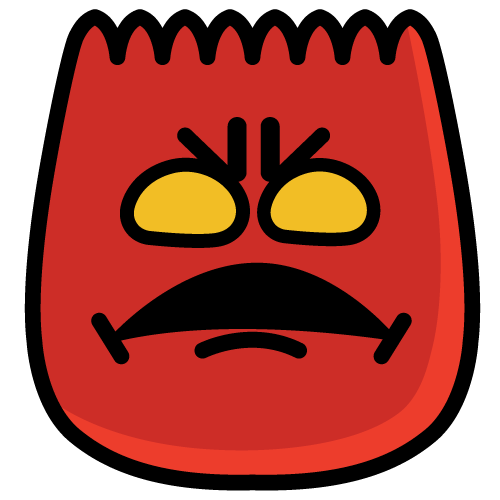
[rage]`, `
[sulk]`, `[smirk]`, `
[wow]`, `
[surprised]`, `
[laugh]`, `
[hehe]`, `
[happy]`, `
[cute]`, `
[drool]`, `
[yummy]`, `
[nap]`, `
[blink]`, `
[scream]`, `
[shout]`, `
[slap]`, `
[wicked]`, `
[greedy]`, `
[disdain]`, `
[complacent]`, `
[tears]`, `
[weep]`, `
[speechless]`, `
[embarrassed]`, `
[flushed]`, `
[astonish]`, `
[angel]`, and others listed in our verified dictionary.
**Common fake codes that DON'T work:** `[fire]`, `[heart]`, `[sad]`, `
[skull]`, `[dead]`, `[love]`, `[shh]`, `[facepunch]`, `[dizzy]` — these may appear on unofficial lists but are not real TikTok emoji codes.
**How to verify a code:**
1. Type it into a TikTok comment and see if it converts 2. Check our verified emoji dictionary — if it's not listed, it's probably not real 3. Check the emoji list page on this site, which only includes confirmed codes
7. Keyboard and Language Issues
If you're using a non-English keyboard, there are a few things that can go wrong:
**Full-width brackets:** Some keyboards (especially Japanese, Chinese, and Korean input methods) produce full-width brackets `【cry】` or `[cry]` instead of standard ASCII `[cry]`. TikTok only recognizes the standard square bracket `[` and `]`.
**Auto-correction:** Some phone keyboards try to "fix" text inside brackets, changing `[cry]` to `Cry]` or `[Cry]`. Case matters — the code must be all lowercase.
**The fix:** Switch to an English (US) keyboard temporarily when typing emoji codes. This avoids full-width brackets and auto-correction issues.
8. Account or Regional Restrictions
In rare cases, TikTok may restrict emoji rendering for accounts in certain regions or for accounts under review. If you've verified that your codes are correct and your app is updated but emojis still won't convert, try:
- Logging out and back in - Clearing the app cache (Settings > Apps > TikTok > Clear Cache on Android) - Trying from a different device - Checking if your account is in good standing (no recent violations or restrictions)
9. Alternative: Use the Emoji Picker
If bracket codes consistently don't work for you, there's an alternative: **use TikTok's emoji picker** instead of typing codes.
When you open the comment box on TikTok, tap the emoji icon (usually next to the comment input field). This opens a visual grid of available emojis. Tapping one inserts it into your comment.
**The tradeoff:** the emoji picker may not include all emojis available through bracket codes. Some of the more obscure or newer emojis might only be accessible by typing their code. But for the most common emojis, the picker works reliably and doesn't require knowing any codes.
Clearing Cache: Step-by-Step
If you've ruled out all other causes, clearing TikTok's cache can help:
**On Android:** 1. Open Settings on your device 2. Go to Apps (or Application Manager) 3. Find and tap TikTok 4. Tap Storage 5. Tap "Clear Cache" (not "Clear Data" — that would log you out) 6. Reopen TikTok and try the code again
**On iPhone:** 1. Open Settings on your iPhone 2. Scroll down and tap TikTok 3. There's no dedicated cache clear on iOS — instead, offload and reinstall: 4. Settings > General > iPhone Storage > TikTok > Offload App 5. Then tap "Reinstall App" (this preserves your account data)
**On desktop (web browser):** 1. Clear your browser's cache and cookies for tiktok.com 2. In Chrome: Settings > Privacy and Security > Clear Browsing Data 3. Reload TikTok and try again
Quick Troubleshooting Checklist
- [ ] Is the code exactly right? (Check our dictionary) - [ ] Are the brackets correct? `[code]` with no spaces - [ ] Are you using standard ASCII brackets `[` `]` (not full-width)? - [ ] Is the code all lowercase? (TikTok codes are case-sensitive) - [ ] Are you using it in a comment or caption? (Not DMs or bio) - [ ] Is your TikTok app up to date? - [ ] Is the code a real TikTok emoji code? (Not from an unofficial list) - [ ] Does it work on a different device? - [ ] Have you tried clearing the app cache? - [ ] Have you tried the emoji picker as an alternative?
If all of the above check out and it still doesn't work, the issue is likely temporary and related to TikTok's servers. Try again in a few minutes.
For the complete list of verified TikTok emoji codes, see our emoji dictionary. For the differences between TikTok emojis and standard Unicode emojis, see our comparison guide. **Want to test if a code works before posting?** Try our Emoji Tester tool to preview any emoji code instantly.
Related Articles(5)
TikTok Emoji Codes: Copy and Paste All 46 Emojis (Complete List & Meanings)
A complete TikTok emoji list guide that explains every hidden TikTok emoji code, how to read the TikTok emoji list with meanings, and how to copy & paste codes into comments like a native.
Read more →TikTok Emoji Codes: Full A-Z Dictionary with All 46 Codes, Meanings & Copy-Paste Guide
The complete A-Z dictionary of all TikTok emoji codes. Find any code instantly with its meaning, when to use it, and example comments.
Read more →What Does [lmao] Mean on TikTok? The Complete Guide to TikTok's Most Used Laugh Emoji
The [lmao] emoji on TikTok is one of the platform's most-used reactions. But its meaning is more nuanced than just 'laughing out loud.' Here's what it really signals.
Read more →How to Use Emojis in Your TikTok Bio and Profile: A Complete Guide
Your TikTok bio is 80 characters. Every emoji you put in it sends a signal. Here's how to choose the right ones and avoid the common mistakes.
Read more →TikTok Emoji Codes Not Working in DMs? 5 Workarounds
TikTok emoji codes don't work in DMs — the DM composer skips bracket codes. 5 workarounds: Unicode emojis, copy from comments, screenshots, third-party keyboards, or move to comments.
Read more →Explore More on Emoji Tik
Browse our complete emoji library with all 46 verified TikTok emoji codes and meanings.
Read our latest research articles, trend reports, and emoji guides.
Get answers to common questions about TikTok emojis and their usage.
Have questions or suggestions? We're here to help.