TikTok Emoji Codes Not Working in DMs? 5 Workarounds
You open a DM to send a friend that perfect `
[laughwithtears]` reaction, type it out carefully, hit send — and the brackets stay as plain text. There is no emoji. Just `[laughwithtears]` staring back at you.
This is not a bug. It is how TikTok is designed, and it surprises almost every new user.
Why TikTok Emoji Codes Don't Work in DMs
TikTok's bracketed emoji codes — `
[cry]`, `
[lmao]`, `
[wow]`, and the other 40+ codes — are a comment-and-caption feature only. They render through TikTok's comment composer, which has special logic that detects bracketed keywords and replaces them with platform-specific emoji graphics before the message is posted.
DMs run on a completely different system. The DM composer is a stripped-down chat interface that does not include that bracket-to-emoji conversion. The same backend that processes your comment goes nowhere near your private message.
This is true across every account type, every region, and every device. It is not a "TikTok glitch" or a problem with your app version. It is a deliberate product decision — the company has chosen to keep the proprietary emoji system scoped to public content only.
What You Can Use in DMs Instead
DMs only support standard Unicode emojis — the same set you would find in your phone's keyboard: 😂 😢 😎 👍. None of TikTok's custom emojis are available in DM conversations, even if you can see them in comments.
For most users this is fine. The Unicode set covers a wide range of reactions, and using 😂 in a DM to a friend is universally understood. The problem is that some meanings are not cleanly expressible in Unicode.
Some practical substitutions:
| TikTok code | Closest Unicode alternative | What you lose |
|---|---|---|
| `[cry]` | 😢 or 😭 | The TikTok-specific "laughing so hard" signal |
| `[lmao]` | 😂 or 🤣 | The "native TikTok user" feel |
| `[wow]` | 😮 | The understated "impressed" tone |
| `
[cool]` | 😎 | The quieter, less performative vibe |
| `
[loveface]` | 😍 or 🥰 | The slightly ironic, playful love |
| `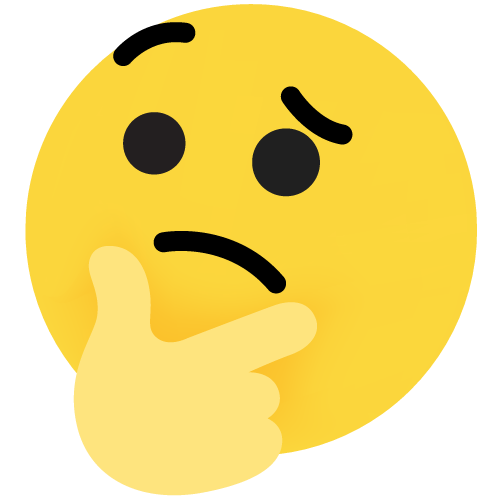
[thinking]` | 🤔 | The "skeptical processing" subtext |
| `
[smile]` | 🙂 | The TikTok-specific soft sarcasm |
For most DMs to friends, the Unicode version is fine. Friends will read 😢 and understand the same emotional beat as `[cry]`. The reason to care is when you are messaging someone you want to sound more "TikTok native" to — like a creator you admire or someone you are trying to impress. In those cases, the absence of bracketed codes is a small signal that you are messaging from outside the platform's culture.
How to Get TikTok-Style Emojis in DMs
There is no officially supported way to send TikTok's custom emojis in direct messages. The unofficial workarounds, in order of how much I recommend them:
**1. Copy from a comment.** The cleanest approach: type the code into any TikTok comment box, see which emoji it converts to, then take a screenshot. Send the screenshot in the DM. This works but is awkward for back-and-forth conversation.
**2. Use the screenshot of an emoji.** Some users maintain a personal album of cropped TikTok emojis. This is fast once you have it set up, but it is effort to maintain.
**3. Describe it in text.** On serious or emotional messages, a few words of description often lands better than any emoji: "I am literally crying laughing right now" carries the same emotional weight as `[cry] + [lmao]` and reads as more authentic.
**4. Move the conversation to comments.** If the topic is something a lot of people are reacting to, just drop your emoji reaction in a comment on the relevant video and tag your friend. The comment section is the natural home for TikTok's emoji language.
**5. Use a third-party TikTok emoji keyboard app.** These exist and let you browse and copy a code. The catch: the recipient still cannot render the code in their DM, so the workaround only works if you are pasting the emoji image itself (which is rarely possible with these apps). Most of them are more trouble than they are worth.
When Codes Fail Outside DMs Too
If codes are not converting even in comments, the cause is usually one of these:
- **Wrong code.** Most "not working" cases are simple typos or guessed codes. `
[joy]` does not exist — the code is `
[joyful]`. `[cryng]` is not a code — it is `[cry]`. The verified list is in our [emoji codes dictionary](/blog/tiktok-emoji-codes-dictionary).
- **Wrong brackets.** TikTok requires square brackets with no spaces: `[cry]`, not `[ cry ]` or `(cry)` or `{cry}`.
- **Account-level restrictions.** Some accounts have comment restrictions due to age, region, or moderation history. Test from a different account if you suspect this.
- **App version.** Older versions of TikTok had fewer codes. Make sure you are on the latest version.
For the full troubleshooting guide, see [emoji codes not working fix](/blog/tiktok-emoji-codes-not-working-fix). For the complete list of codes, see [emoji codes dictionary](/blog/tiktok-emoji-codes-dictionary).
The Bigger Picture
The DM/comment split is one of those small design choices that tells you a lot about how a platform thinks. TikTok built a public-comment-first culture, and the emoji codes are part of that. They are meant to be seen by other people scrolling the comment section, to be part of the public social texture of the video. DMs are private and intimate, and the company has chosen to keep them simpler and more universal.
If you want to use TikTok's emoji language at full strength, the comment section is where it lives. DMs work, but with a smaller emoji vocabulary and a more standard chat feel.
Related Articles(5)
TikTok Emoji Codes: Copy and Paste All 46 Emojis (Complete List & Meanings)
A complete TikTok emoji list guide that explains every hidden TikTok emoji code, how to read the TikTok emoji list with meanings, and how to copy & paste codes into comments like a native.
Read more →TikTok Emoji Codes: Full A-Z Dictionary with All 46 Codes, Meanings & Copy-Paste Guide
The complete A-Z dictionary of all TikTok emoji codes. Find any code instantly with its meaning, when to use it, and example comments.
Read more →What Does [lmao] Mean on TikTok? The Complete Guide to TikTok's Most Used Laugh Emoji
The [lmao] emoji on TikTok is one of the platform's most-used reactions. But its meaning is more nuanced than just 'laughing out loud.' Here's what it really signals.
Read more →How to Use Emojis in Your TikTok Bio and Profile: A Complete Guide
Your TikTok bio is 80 characters. Every emoji you put in it sends a signal. Here's how to choose the right ones and avoid the common mistakes.
Read more →5 TikTok Emoji Mistakes Every Beginner Makes (And How to Fix Them)
Using the wrong TikTok emoji code, stacking too many emojis, or ignoring context—these common mistakes make your comments look spammy. Here's how top commenters do it right.
Read more →Explore More on Emoji Tik
Browse our complete emoji library with all 46 verified TikTok emoji codes and meanings.
Read our latest research articles, trend reports, and emoji guides.
Get answers to common questions about TikTok emojis and their usage.
Have questions or suggestions? We're here to help.