How TikTok Emoji Codes Work: The Bracket System Explained
If you've ever typed a comment on TikTok and wondered why `
[cry]` turns into a custom emoji instead of staying as plain text, you've interacted with one of the more unusual design decisions in social media. Most apps give you an emoji picker — a grid of faces you tap. TikTok gives you hidden codes you type inside square brackets.
This article explains how that system works, why TikTok chose it, and what it means for how people communicate.
The Bracket System
TikTok emojis are triggered by typing text inside square brackets. Type `[cry]` and it renders as a custom crying face. Type `
[lmao]` and you get a custom laughing emoji. The codes only work in comments and some caption fields — they don't work in direct messages or on other platforms.
The system is essentially a text-to-image pipeline: TikTok's servers scan your comment for bracket patterns, look up the corresponding emoji graphic, and replace the text with the image before anyone else sees it. This happens server-side, which means everyone sees the same emoji regardless of their device or operating system.
Why Bracket Codes Instead of a Picker?
Most social apps use visual emoji pickers because they're intuitive — you see a face, you tap it. TikTok's bracket system seems harder by design, and that's the point.
**Barrier to entry creates community.** People who know the codes feel like insiders. People who don't have to learn them from watching others. This is similar to how Slack custom emojis work within individual workspaces — the friction of learning them is what makes them culturally meaningful once you do.
**Server-side rendering ensures consistency.** When everyone sees the exact same emoji graphic, the community can agree on what it means. Unicode emojis drift in meaning partly because they drift in appearance — a laughing face on iOS looks different from the same emoji on Samsung. TikTok's fixed graphics are stable reference points.
**Codes enable a richer vocabulary.** An emoji picker is limited by screen real estate — you can only show so many faces in a grid. Bracket codes have no visual limit. TikTok can add dozens of emojis without anyone needing to scroll through a picker to find them.
The Difference Between TikTok Emojis and Unicode Emojis
| | TikTok Bracket Emojis | Unicode Emojis | |---|---|---| | Appearance | Same on all devices | Varies by platform | | Access | Type `[code]` | Emoji picker/keyboard | | Portability | Only works on TikTok | Works everywhere | | Updates | TikTok adds new ones | Unicode Consortium standards | | Meaning | Community-driven, shifts fast | Relatively stable |
The key practical difference: a Unicode 😂 means roughly the same thing everywhere. A TikTok `[cry]` means different things in different comment sections, and that meaning shifts as the community's usage evolves.
How to Find All Available Codes
TikTok doesn't publish an official list of emoji codes. The community discovers them through:
- **In-app hints**: TikTok occasionally surfaces emoji suggestions in the comment box - **Community sharing**: Users share code lists on TikTok itself and on external sites like this one - **Experimentation**: Some users try different bracket combinations to discover new emojis
The codes are generally short, lowercase words that describe the emotion: `[cry]`, `
[cool]`, `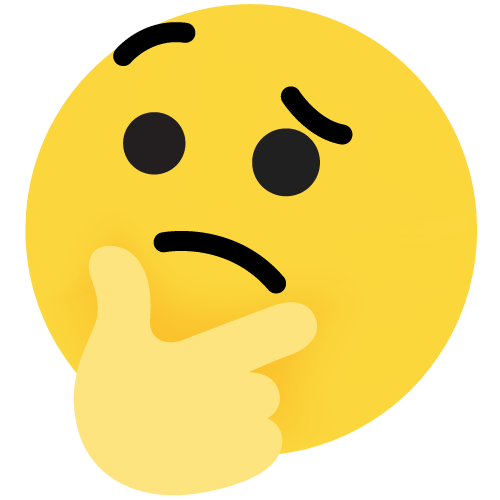
[thinking]`, `
[facepalm]`. This makes them somewhat guessable even if you haven't seen them before.
Common Codes to Know
Here are the most frequently used TikTok emoji codes:
- `[cry]` — Overwhelmed (usually by humor or wholesome content)
- `[lmao]` — Genuinely funny
- `
[laughwithtears]` — Stronger version of lmao
- `
[wronged]` — Humble apology or strategic humility
- `
[pride]` — Confident achievement
- `[cool]` — Approval, "that's good"
- `[thinking]` — Skepticism or consideration
- `[facepalm]` — Disbelief or secondhand embarrassment
- `
[clown]` — Self-deprecating humor
- `
[shock]` — Surprise or plot twist reaction
These are the ones you'll see most often. There are many more niche emojis for specific emotions and reactions.
Why This Matters
The bracket system is unusual in social media precisely because it makes emojis harder to use — and that difficulty is what gives them cultural weight. When you have to type `[wronged]` instead of tapping a face, you're making a deliberate choice. That deliberation is what transforms emojis from decoration into communication.
Understanding how the system works helps you use it more effectively. You're not just picking a face — you're participating in a code-based communication system that the TikTok community built from the ground up. For troubleshooting codes that don't work, see codes not working fix. For why only TikTok has custom codes, see why only TikTok.
Related Articles(5)
TikTok Emoji Codes: Copy and Paste All 46 Emojis (Complete List & Meanings)
A complete TikTok emoji list guide that explains every hidden TikTok emoji code, how to read the TikTok emoji list with meanings, and how to copy & paste codes into comments like a native.
Read more →TikTok Emoji Codes: Full A-Z Dictionary with All 46 Codes, Meanings & Copy-Paste Guide
The complete A-Z dictionary of all TikTok emoji codes. Find any code instantly with its meaning, when to use it, and example comments.
Read more →What Does [lmao] Mean on TikTok? The Complete Guide to TikTok's Most Used Laugh Emoji
The [lmao] emoji on TikTok is one of the platform's most-used reactions. But its meaning is more nuanced than just 'laughing out loud.' Here's what it really signals.
Read more →How to Use Emojis in Your TikTok Bio and Profile: A Complete Guide
Your TikTok bio is 80 characters. Every emoji you put in it sends a signal. Here's how to choose the right ones and avoid the common mistakes.
Read more →TikTok Emoji Codes Not Working in DMs? 5 Workarounds
TikTok emoji codes don't work in DMs — the DM composer skips bracket codes. 5 workarounds: Unicode emojis, copy from comments, screenshots, third-party keyboards, or move to comments.
Read more →Explore More on Emoji Tik
Browse our complete emoji library with all 46 verified TikTok emoji codes and meanings.
Read our latest research articles, trend reports, and emoji guides.
Get answers to common questions about TikTok emojis and their usage.
Have questions or suggestions? We're here to help.